Showing posts with label professional development. Show all posts

Thursday, November 20, 2014

Because I'm Appy: The Four C's


http://bit.ly/1xHYDc7

This post first appeared in slightly altered form at www.pypl.org.


This week let's talk about the humble app, that newest, potentially most overwhelming of computer thingamajig.  My apologies to anyone who now has that Pharrell Williams song stuck in their heads!   What is an app, exactly?  Well, it’s short for “application”—as in “computer application.”  That just means it’s a computer program, like Microsoft Word.  The trendy, shortened version has come to apply mainly to programs you use on your mobile devices—phones, tablets, brain chip, etc.  (Just kidding about that last one. Or am I?)  Apps tend to be small in computer-space and extremely focused in use—they have very particular applications, you might even say.  (See what I did there?)

I recently attended a great webinar hosted by Nicole Hennig, a real expert in this emerging area of study, called “Apps for Librarians: Digital Literacy with Mobile Apps,” that described a lot of what she calls “core apps” and the ways librarians can use them to enhance services to their patrons.  She’s really knowledgeable and clear, and while I had long intended to discuss apps in this space, her presentation inspired me to organize it slightly differently.  I was going to just jump into some reviews of apps and why you should use them, but Ms. Hennig’s method of categorizing apps into four major types struck me as a better means of approaching this whole, vast topic.   So, how does she split up the world of apps?  She talks about apps for consuming, for curating, for creation and for collaboration.

Consuming apps are pretty straightforward.  They know that there is stuff out there to be read, watched, heard, and so on, and give you ways to do so.  They tend to gather that kind of material up and present it to you in easy-to-digest formats.  E-reading apps like the Kindle app would fall under this category, as would ‘magazine’ and ‘feed’ types like Feedly and Flipboard.

Apps for curation start to give the user a little more power.  In these apps, the content is still out there waiting to be consumed, but they allow you to collect, organize, and present it in your own way.  This can include big names like Facebook, Twitter, Instagram and Pinterest, though there are a lot more out there.  You can also curate your own content with apps like Buffer, which allow you to schedule your social media posts throughout the day.  (Because you wouldn’t want your kids and grandkids to go a half an hour without an update from you, right?)

Creation apps—this is where things start to get really interesting.  These guys know that the Force is in you, Luke.  Whatever you want to create—prose, poetry, drawings, photography, even music and 3D models—there’s an app for that.  And it doesn’t matter if you’re a maestro or a rookie, because there are creative apps for every skill level.  Heck, some of the apps used by digital virtuosos are equally accessible to novices.  Some big names here are Adobe Ideas, Diptic, and the very cool music-making app, Thumb Jam.

Finally, we have collaboration apps, which bring it all together.  Whatever you may do on your own in the other three categories, there’s most likely an app that allows you to do it in a group.  Often they’re the very same apps.  (You’ll find that there’s a lot of overlap between these categories.)   Scribble on whiteboards with SyncSpace, share files with Dropbox, and play a game of multidimensional tag over Skype.  (No, I’m not sure exactly how that would work, but it would be fun to figure out.  Laser pointers?)

Ms. Hennig covered a lot of other interesting elements of the app revolution, but the other important one for all of you out there is the concept of content ecosystems—in other words, the idea that the things you create on apps can be synced up across all your devices, allowing you to travel freely between your phone, tablet, and computer(s) without losing anything.

It’s also worth mentioning that apps have incredibly positive implications for accessibility—a lot of them have features built-in to assist people in using them, and there are many that are designed precisely to help people better navigate the world.  There are apps that identify currency for the blind and that help disabled teens learn.  That sounds like a revolution worth supporting, right?

So that’s that for our first foray into the realm of apps.  Check back in the future when I dig into some specific reviews and recommendations. Thanks again to Nicole Hennig for her awesome presentation (you can check out more about her here).  There's a lot more to explore in our appy little realm!

Sunday, November 16, 2014

Being a brief reflection on my first days as grown-up librarian

I’m about to start my third week as a professional public librarian.  It’s gone quickly and mostly well.  In the real world, it turns out, colleagues and patrons are as patient and good-natured as you might like them to be, but were secretly afraid they wouldn’t be.  People are basically decent--go figure!

Which isn’t to say things have gone completely smoothly.  People and institutions have their entrenched ways of doing things, and entering into these systems can feel bewildering and isolating.  I’ve found success by trying to adapt to the blanket methods that are in place at my new library--which mostly entails knowing what role each staff member fills, and dealing with them directly in those roles--while carving out my own methods in those areas that affect only me, or which I now find myself (unbelievably) in charge of.

That means I’ve set up my own little processes when it comes to my itty-bitty corners of the collection development budget and to planning my adult programming.  It’s really helpful that the library’s director (among others, but mainly her) is very open to change and has given me carte blanche to do what I want in a few areas.  That’s sort of intimidating!  But after ten days at work, it’s starting to feel like, yes, I actually can exert a little authority here and there.  It’s been really important to feel like I’m doing at least a couple of things “my way,” because otherwise I might find myself going a little nuts in a few months.

It’ll still take some getting used to.  There are three librarians here, of which I’m one, and we’re technically the heads of our departments and everyone else’s “superiors.”  In practice it won’t really work that way, which is more than fine--I’m happy to defer to anyone’s wisdom and experience, whether they have an “MLS” after their name or not.  (That’s a lesson a few young hotshots really should take to heart or risk an unhappy professional life.)  But I do have to remind myself to inhabit my “director” role as much as possible.

One evening I was going over some circ desk procedures with one of the clerks, who was actually the most recent hire before I got there.  She was telling me the policy for patron phone use.  “We’re usually not allowed to let anyone use the desk phone, but the librarians can make exceptions, so just ask one of them--oh!”  It wasn’t until she said it that she realized that I was one of those librarians who’s allowed to make exceptions.  No hard feelings, though--I didn’t realize it at first either!

I’ve had some great opportunities to meet a lot of active patrons and community members.  There seems to be a great crew that’s in the library all the time--the kind of funny, sweet, sometimes odd folks that make me wonder why there hasn’t been a successful library-based sitcom yet.  But I’m also fortunate to be coming to work at the start of the strategic planning process, and was drafted by the library director to take part in a series of community conversations intended to glean ideas and aspirations.  This has been a great way to meet a lot of active, opinionated  people who feel a stake in the library, but who might not be in the building every day.

If you don’t happen to be starting your job in time for an opportunity like that, I’d urge you to make other efforts to meet similar people in your community.  Find all the civic meetings in town and attend as many as you can--and speak up to introduce yourself.  People will be delighted to meet the new librarian.  Everyone here has been.

So I guess if I had to sum up the lessons of my first weeks on the job…

Defer to local practices, but carve out spaces for you to make your institutional mark.

Seek and use your colleagues’ experience, but don’t fail to inhabit your professional authority.

Get out there and introduce yourself to the community!

Sunday, February 16, 2014

The Learning Curve: Adventures in Self-Directed Education

Back when I started this blog, I promised several recurring features that I haven’t always delivered on.  (I like to think that if you take the long view, all of my promises will be kept...it’s all a work in progress!)

One of those features was discussion of self-directed continuing education, with my own experiences with setting up curricula for myself as the model.  Of course, the main reason you haven’t seen much of that is because I haven’t done a great job creating and sticking to my own curricula.  Well, January started a new semester, and I’ve been much more successful so far.  Various web-based options are making it easier to keep up one’s education outside of the traditional bounds of the classroom, and I’m interested to hear from my readers about their own experiences or with commentary on my choices.

First off, I decided that continuing library/info studies education doesn’t necessarily have to include the stuff you might expect to find in your official program--on the contrary, there are lots of subjects that are of immediate benefit to the librarian but which don’t fit into our 2-ish years of training.  For me, top on that list is Spanish.

I’m interested in working in large urban public libraries, and nearly every job posting I’ve responded to has listed proficiency in Spanish as a preferred qualification, if not an outright requirement.  Well, this guy made the very positive, yet not so demographically savvy, decision to study French starting in middle school, going on to major in the language in college.  While I very much enjoyed learning to read and discuss Hugo and Sartre in their original tongue, it hasn’t lended itself to employers snapping me up.

Spanish, I recognize, is extremely valuable to know in the American workforce today.  It’s the most-spoken non-English language in American homes, and overall there are 69 million hispanophones in the US.  While a great many of them also speak English fluently or very well, there’s a sizable number who do not--and besides, sometimes it’s more comfortable for people to conduct business in their native language, no matter how well they speak another.  

In the little community public library where I volunteer, a good proportion of the patrons I encounter every day are Spanish-speakers.  I decided it was time I had the ability to at least offer the option of communicating in these folks’ first language.  While it will be many years before I’m able to do so in a way that won’t make them cringe at my vocabulary and accent, I can at least get the process started with increasingly useful, rigorous and affordable online language-learning options.  

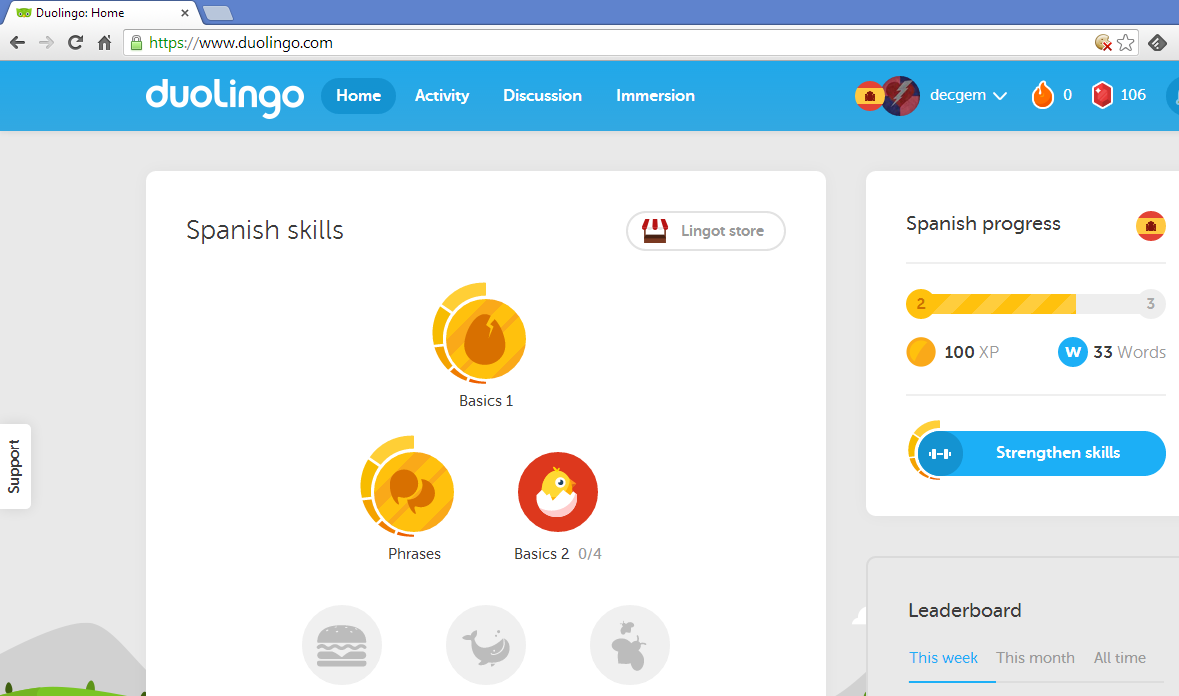
For this effort I’ve chosen Duolingo, with which I previously had a positive experience practicing Portuguese just for fun.  It’s a colorful site that offers an intuitive scaffold of each language to climb toward proficiency, breaking it down into digestible, thematic chunks--sometimes grammatically like pronouns, sometimes by subject matter like food.


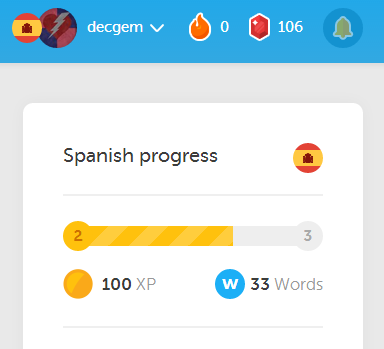
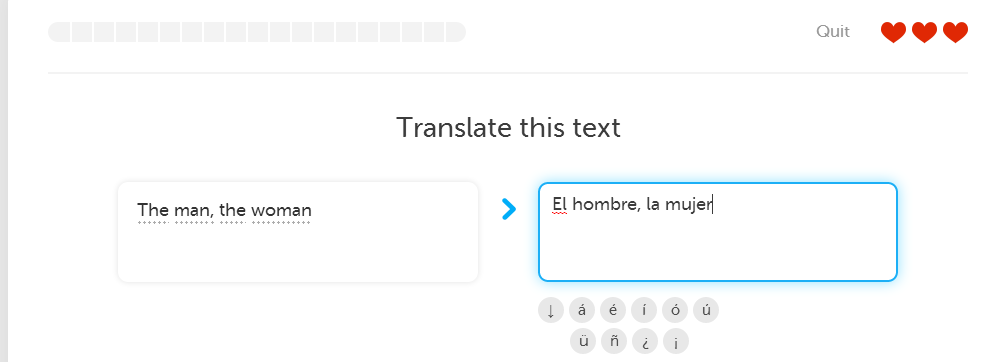
The experience is nicely gamified to grab and hold attention: you earn points for successful lessons completed and which you can compare with those of your friends, and you earn bonuses for streaks of days practiced.  During lessons, you have three hearts--make too many mistakes and lose all your hearts, and you have to restart in that area.  But success also earns you some web-currency, ‘lingots,’ which you can use to purchase bonuses and upgrades, like extra hearts.


One feature I didn’t grasp at first, but which is actually really helpful, is aimed at combating recall decay.  When you complete a lesson, you have four full bars in the skill it covers--a happy little fully-charged feeling.  But as time goes by, you lose bars, and you have to go back and practice that skill to build bars back up.  It’s a great visual cue to remind you to go back and really lock down that content, rather than washing your hands of it.


The goal of Duolingo is to crowdsource translations of web-based content.  The thought is that there are too many millions of gigabytes of content building up through such outlets as  BuzzFeed for it ever to be translated in-house for global access.  By teaching people some of the top world languages, Duolingo hopes to harness their new skill to fill that gap.  Every now and then a dialog box pops up saying “You can now translate x% of all listicles!  Why don’t you give it a try!”

Frankly, I’m dubious.  It’s a noble aim and I will certainly do my part if I feel like I know enough to contribute competently, but even after months of practicing Portuguese, I wasn’t confident tackling BuzzFeed translations.  Especially not given the slang-heavy nature of most Web writing--Duolingo focuses on official language, so I’m really not sure how successful I’ll ever be in this part of the operation.  But I applaud those who make it work.

If you’re in the mood to pick up a new language, need a crash-course for a new life situation, or want to brush up on an old favorite, Duolingo is a great option.  And did I mention it’s free?  Money talks (several languages).  And if you already have a background in a given language, you can test out of the basic lessons and dig right into the  pollo y manzanas (chicken and apples--as close as I can get to ‘meat and potatoes’ so far!).  Eventually I will branch out from Duolingo and enlist some Hispanophone friends to converse with me and share more advanced, library-specific vocabulary...but for now I have to get my conjugations down.


So that’s my first self-directed course of study in my own private spring semester.  Tune in soon when I let you in on my efforts exploring coding and gamification, and chime in with your thoughts and feelings in the comments!